

See evening gowns, cocktail dresses and wedding-guest looks on your own photo before the big night


⇆
See evening gowns, cocktail dresses and wedding-guest looks on your own photo before the big night
Apple PayG PayVISA
A full-length photo shows the gown's length and silhouette.
Paste a link from Revolve, Lulus, ASOS, Meshki or any store — or a screenshot.
AnyTry shows the formal dress on your photo with your face, figure and pose kept.
 before
 after
 before
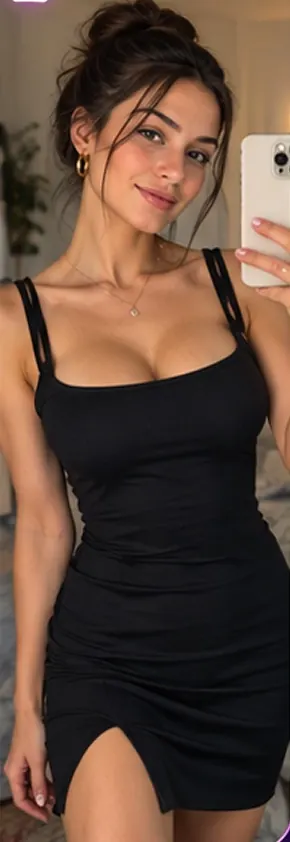 after
 before
 after
 before
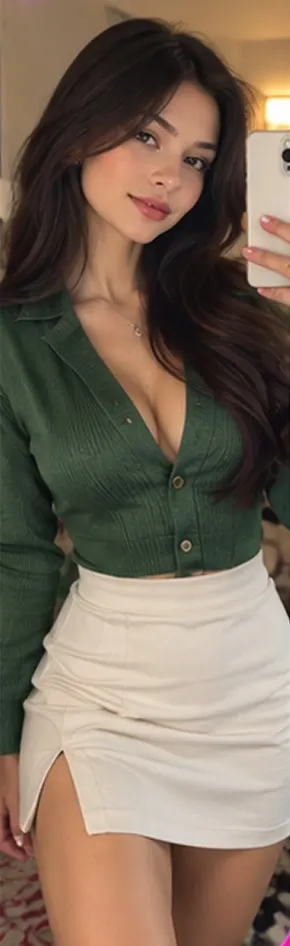 after
A formal dress virtual try-on shows an evening gown or cocktail dress on a photo of you before you buy. AnyTry (anytry.app) is an AI virtual try-on that puts any formal dress from a store link or screenshot onto your own full-length photo.
Yes. AnyTry lets you try one gown after another on the same photo, so you can compare colours, necklines and lengths side by side.
AnyTry handles floor-length gowns, cocktail and midi dresses, satin slip dresses and wedding-guest dresses with a clear product photo.
No. AnyTry changes only the dress; your face, figure and pose stay exactly as in your photo.
