
Evening, natural, winged liner — any look right on your face


⇆
Evening, natural, winged liner — any look right on your face
Apple PayG PayVISA
Face close up, in good light, ideally without heavy makeup.
A photo of makeup you like, or an idea: nude, evening, winged liner, bold lips, glowy skin.
The makeup appears on your own face — same features, same light.
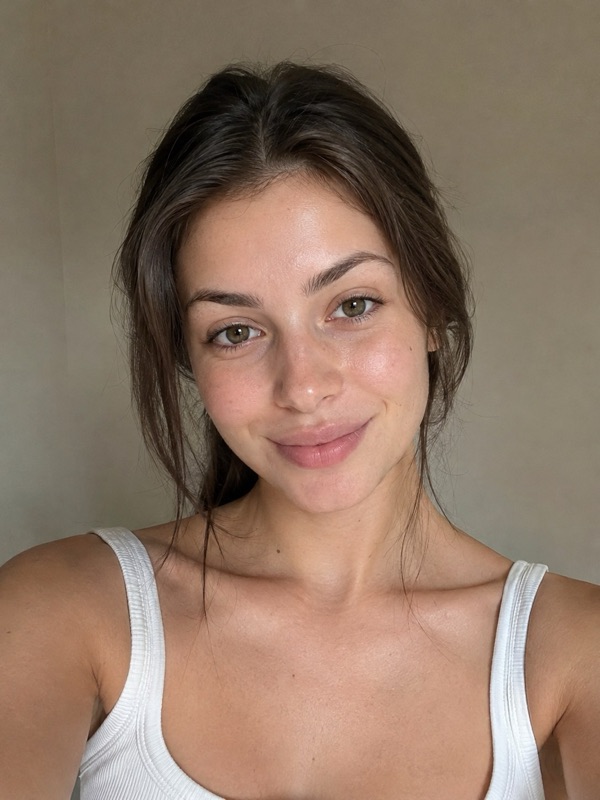 before
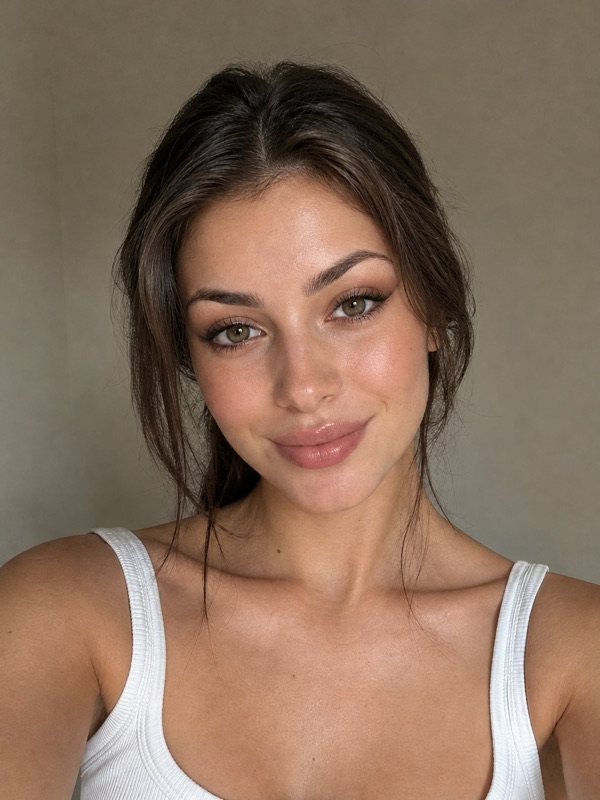 after
Upload a selfie and a photo of the look you like. The AI applies that makeup to your face while keeping your features, skin tone and expression.
Yes. Upload a screenshot of the look; only the makeup is taken from it, your face stays yours.
Yes. Pick an idea like “bold red lips” or “winged liner”, or add a wish such as “softer” or “bolder lips”.
Yes — try evening, bridal or prom makeup before the appointment and show the result to your makeup artist.
Your first try-on is free. From RM 4.09 per try-on, no subscription, and try-ons never expire.
No app or sign-up: it works in the browser on your phone or computer.
